The conversation
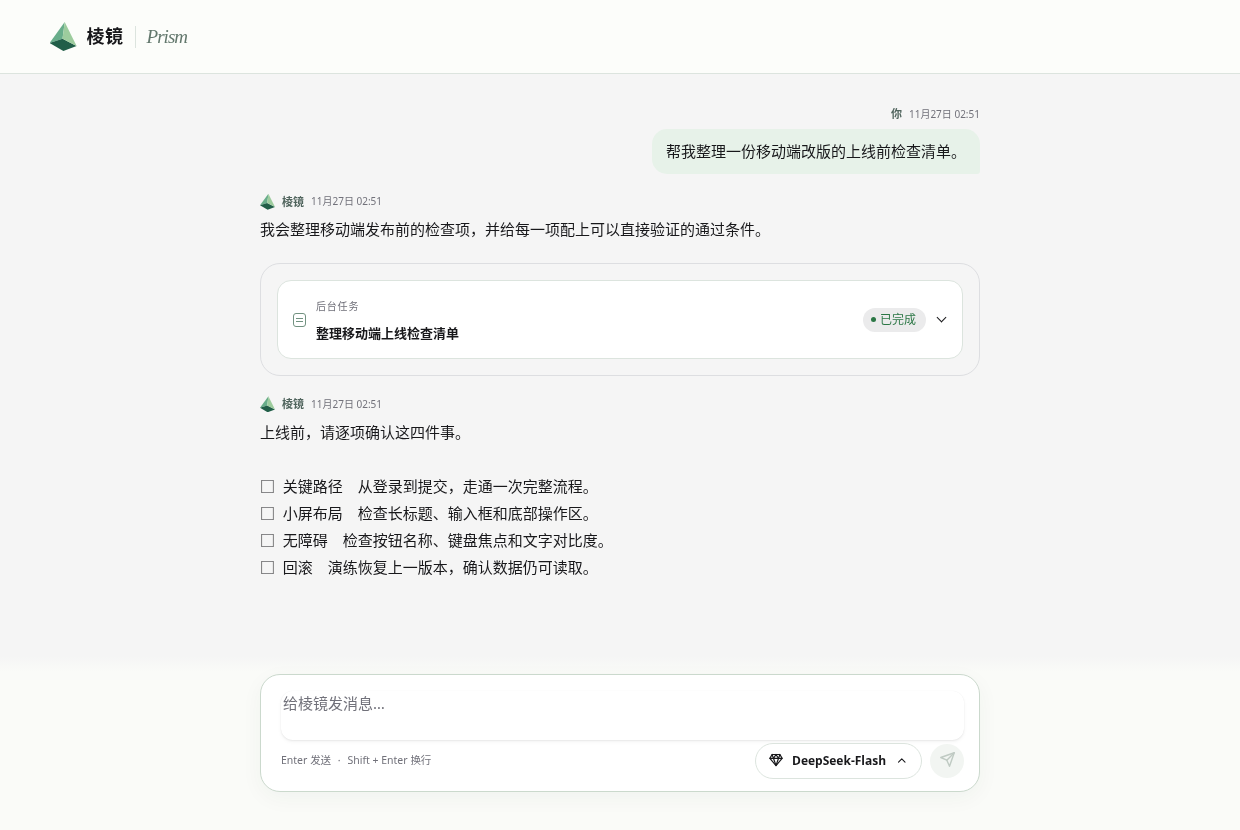
Ask for an outcome in the web client. The project chooser and directory tree stay behind the registry. A useful first request is “Review the mobile release checklist and summarize the missing checks.”
Choose a conversation model
The model picker sits inside the composer, immediately to the left of Send. Open it to read each L1 model’s description. Selecting a model affects subsequent turns and preserves your draft. Enter sends a message; Shift+Enter adds a line.
Follow a task
A collapsed card appears for delegated work. Expand it to see its status and execution steps. Ask a follow-up in the same conversation if priorities change. The planning agent can report an update while other steps continue.
Read the underlying session
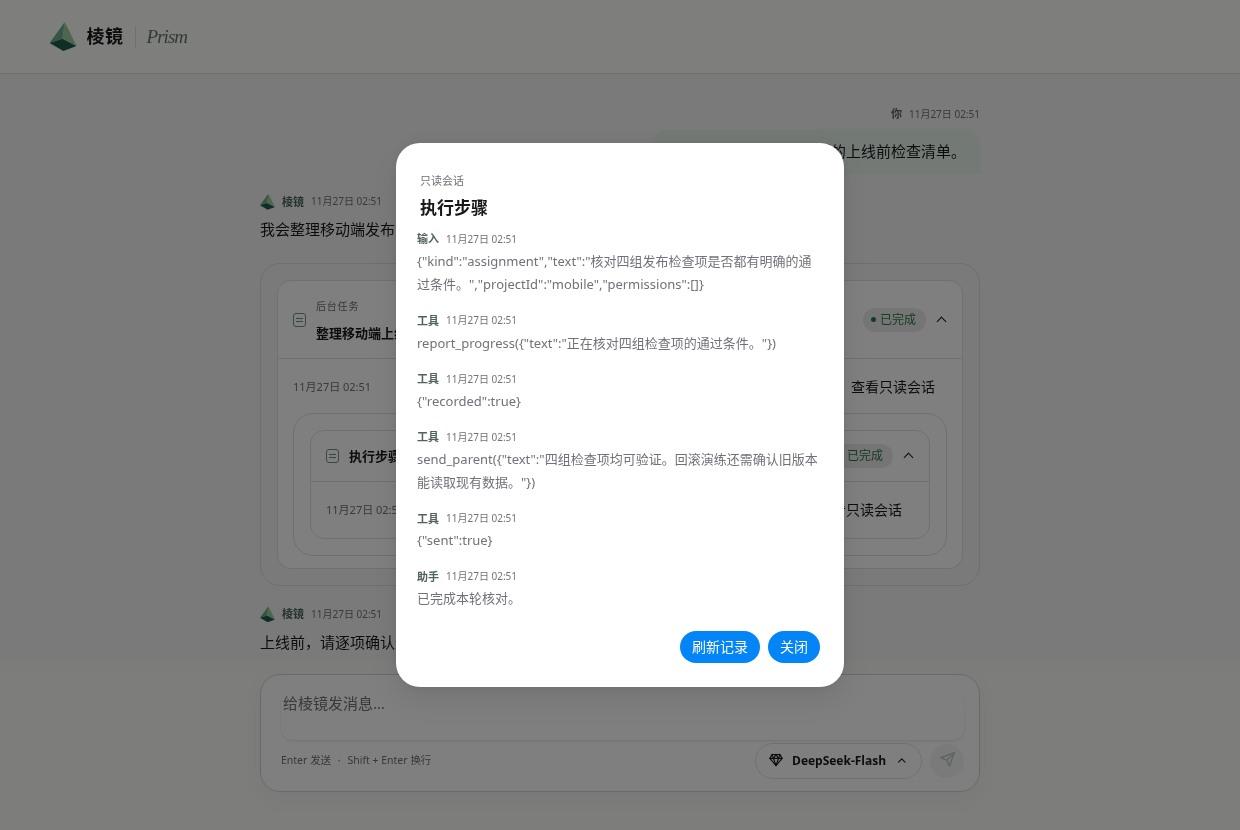
Open the task’s read-only session to inspect the recorded dialogue and tool names. Refresh for newer records. The viewer checks ownership and reads without taking a writer lock. Web windows signed into the same DSH owner share a conversation; messaging identities have their own histories.